
1. Summary
Most small and mid-size marinas run on the same toolkit: a spreadsheet for the slip roster, a Word document for the waitlist, a filing cabinet for contracts, and whatever phone the dock crew happens to carry. It works — until the season starts, the phone starts ringing, and every change has to be typed into three places by hand.
May Marina on Payette Lake was no different. When I took over as manager in June 2026, the waitlist was a Word document and maintenance requests came in by personal text. Rather than buy a platform built for hotels or campgrounds, I built a system around how a marina actually runs: one map of our real docks that the office, the dock crew and the tenants all work from.
The result is that each piece of information is entered once, by the person closest to it. Boaters apply, sign and pay online. The crew logs repairs, pump-outs and hours from their phones on the dock. The office sees all of it on one screen instead of rebuilding it from texts, emails and sticky notes. For an 80-slip marina, we estimate that is roughly 260 staff hours a season — six and a half full work weeks — plus more than 60 hours of paperwork and phone tag that tenants no longer have to do.
2. Where we started
Before the switch, May Marina's information lived in at least five places, and none of them talked to each other:
| Job | Where it lived | What that meant day to day |
|---|---|---|
| Slip waitlist | A Word document | Names typed in by hand; "where am I on the list?" answered by scrolling; no record of boat size or residency to match against open slips. |
| Slip roster | An Excel spreadsheet | Tenant, boat and contact details retyped every time something changed, and only one person could trust the current copy. |
| Maintenance requests | Personal text messages | Requests reached whoever the boater happened to know, often after hours, with no shared list and no way to tell the boater it was fixed. |
| Contracts and renewals | Printed forms and a binder | Print, mail or hand over, chase the signature, file it, then update the spreadsheet. |
| Crew hours and logs | Paper and memory | Hours and pump-outs tallied after the fact by the office. |
3. What the old way cost
None of these tools is bad on its own. The cost comes from the gaps between them:
- Everything is typed twice. A new tenant's details go from a phone call to a notepad to the spreadsheet to the contract. Every copy is a chance for a typo, and every change has to be made in all of them.
- The office becomes the switchboard. Boaters call the office to ask about the waitlist, report a broken cleat or check whether a payment landed. Each call is short; together they eat the week.
- The dock and the office see different marinas. The crew knows which slip has the loose board; the office knows who is in that slip. Neither has the full picture without a phone call.
- Nothing leaves a trail. A text-message repair request can't be assigned, tracked or reported on. When a boater asks "did anyone look at that?", nobody can say for sure.
- It all lands on the manager. In a small marina the person holding the spreadsheet is usually also the person on the dock at 7 a.m. and answering texts at 9 p.m.
4. One system, three users
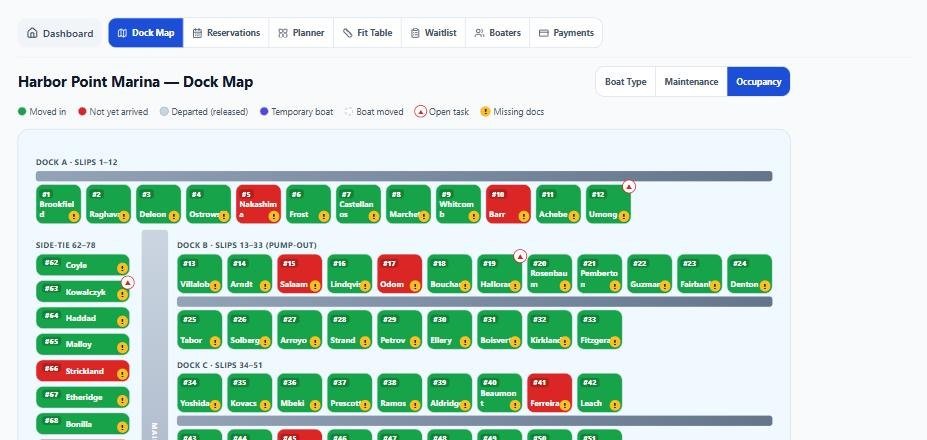
MarinasOnSite is built around a map of the marina's real docks — every finger, side-tie and odd-sized slip — and three kinds of people who use it every day. Each one gets a view built for their job, and all three are looking at the same records.
The admin
The office stops being the switchboard.
- Waitlist applications arrive online and complete, ranked by residency priority, with boat dimensions included.
- The Fit Table matches waiting boats against measured bay widths, so filling an open slip is a decision, not a research project.
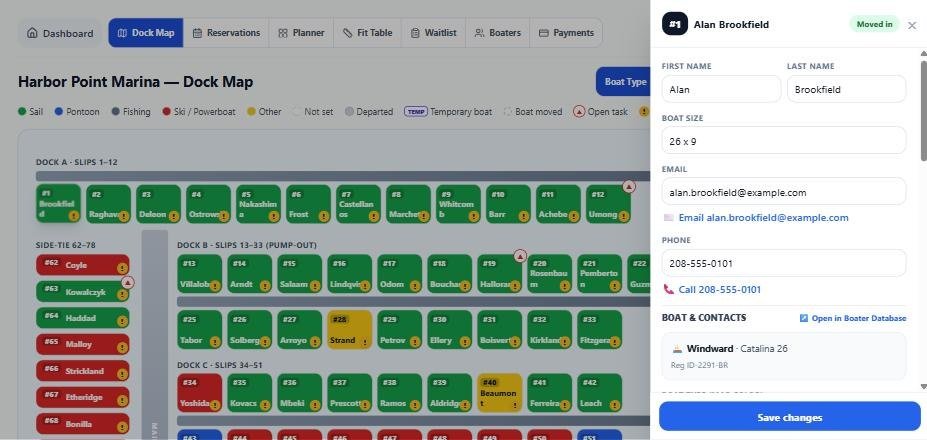
- Click any slip on the map to see the tenant, boat, contacts, documents and open repairs.
- Seasonal agreements are signed electronically, with a signed PDF stored on the record automatically.
- Email boaters, post announcements and approve crew timecards from the same screen; a weekly report summarizes tasks, pump-outs and the waitlist.
The dock guy
The crew works from the phone in their pocket.
- Clock in and out by scanning a QR code on the dock — no paper timecard to tally later.
- Repair requests show up as tasks tied to the exact slip, with photos, and are marked done from the dock.
- Recurring jobs (weekly checks, seasonal tasks) come back on schedule without anyone remembering them.
- Pump-outs are logged by QR form in seconds.
- The dock map works on a phone, so "who's in 42?" is answered on the spot.
The tenants
Boaters help themselves, any time.
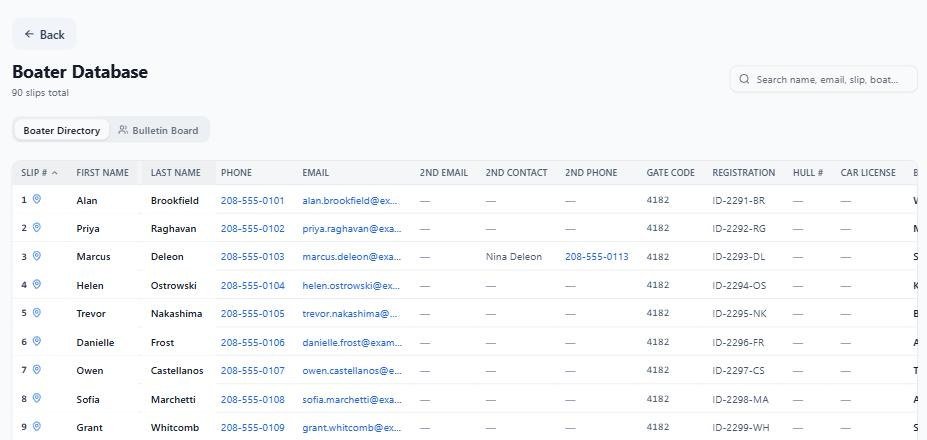
- A member portal for each tenant: their agreement, documents and insurance upload in one place.
- Sign the seasonal agreement and pay the slip fee online, from a phone, without a trip to the office.
- Submit a maintenance request with a photo and know it reached the crew — not someone's personal phone.
- See announcements, the bulletin board and dock weather.
- Apply to the waitlist online and know the application is complete.
5. Time saved
The table below is our model for an 80-slip marina over a 22-week season. "Before" is the Word-and-Excel way; "after" is the same job in MarinasOnSite. We didn't put a stopwatch on our first season, so treat these as careful estimates — then change any of them in the calculator.
| Task | Who | Before | After | Saved / season |
|---|---|---|---|---|
| Total staff hours saved | — | |||
Weekly tasks are multiplied by the season length. Renewals and tenant time are multiplied by the number of slips.